When you start with an existing mesh, the macro will ask you to specify the component information. It will include Tool components also. Generate Tool Mesh is disabled when the Extrusion Wizard is started with an existing mesh.
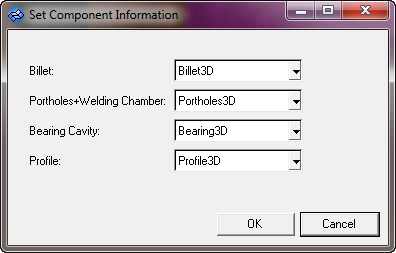
Preferred names to store 3D elements:
Workpiece Assemblies
| • | Billet Skin – BilletSkin3D |
| • | Porthole & Welding Chamber – Porthole_WC3D (mesh for the porthole and welding chamber must be in a single component) |
| • | Feeder Cavity – Feeder3D |
Tool Assemblies
| • | Dummy Block – DummyBlock3D |
| • | Feeder Plate – FeederPlate3D |
| Note: | You can use the names of your choice, except for BilletSkin3D. |


